
Built for EWENIVERSE’s “Botanical Futurism” aesthetic, this real-time watercolor shader blends organic textures with clean, futuristic UI elements to create a cohesive picture-book-like visual language that feels both alive and modern while softening system complexity.
TEAM - 1 Technical Artist (Me)
SCOPE - Shader Making, Technical + visual exploration
DURATION - 1 month
TOOLS - Unity, Shader Graph, Blender


Project Planning
Research
Testing & Making
Assets Creation
Implementation & Development
In a fast paced, multi-entity management game, how can players understand what actions are available, where they apply, and what their outcomes will be—without relying on heavy UI?
During the production of EWENIVERSE, I developed a custom watercolor shader to extend the project’s core idea of Botanical Futurism: blending organic, natural textures with clean, futuristic UI elements.
The watercolor effect introduces softness, texture, and imperfection, grounding the interface in a living, natural world. In contrast, the sharper and more minimal UI components reinforce the player’s identity as an astronaut, creating a visual duality between nature and technology.

To ground the shader exploration, I studied games with similar art directions, focusing on how watercolor-inspired effects are achieved through stylistic detail rather than realism.
My primary references were Bayonetta Origins: Cereza and the Lost Demon & Doraemon Story of Seasons, both of which adopt a picture-book aesthetic using watercolor textures to create warm, inviting worlds that encourage exploration.
Inspired by these approaches, I recreated a similar effect in Unity’s Universal Render Pipeline (URP) using shader graphs, exploring how subtle stylization, such as texture layering and soft edges can shape mood and influence user experience while remaining expressive.

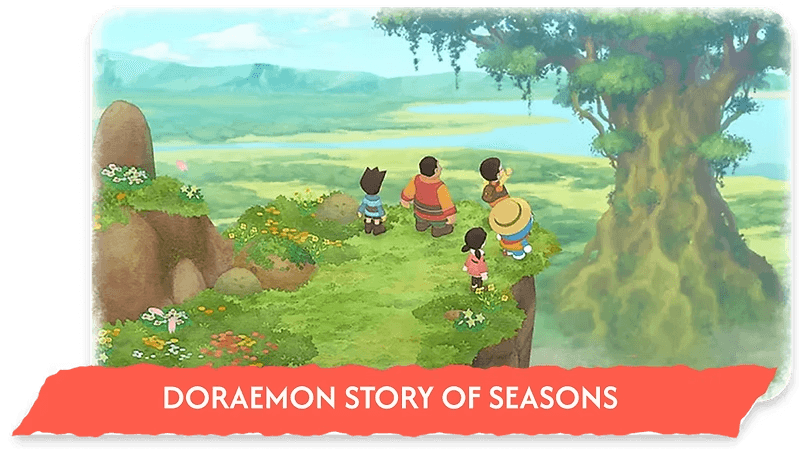

To translate watercolor-style rendering into EWENIVERSE’s Botanical Futurism aesthetic, I analyzed the painterly effects used in Bayonetta Origins.
I identified key visual components: swaying crosshatch lines, paper-grain motion, texture overlays, and soft-edged shadows, and used them as modular building blocks for shader development. This breakdown allowed me to reconstruct the effect systematically in a controllable, real-time shader.
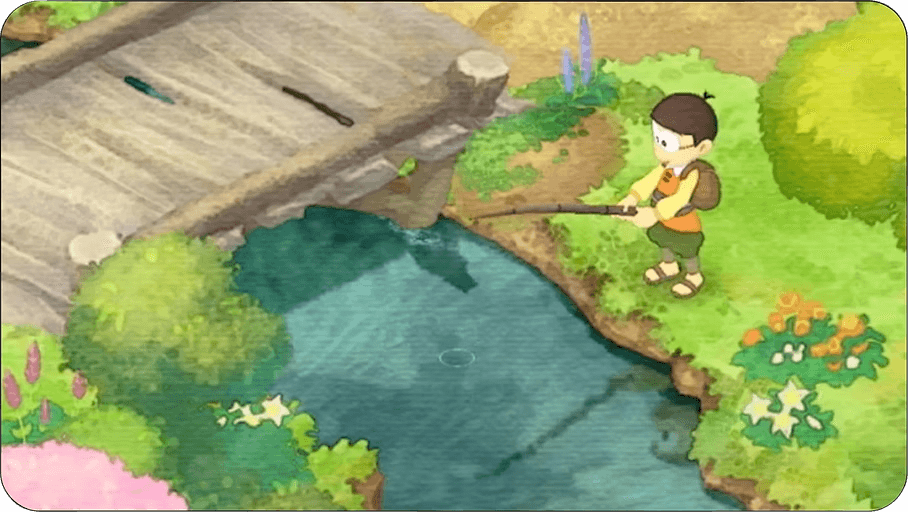
Minimal overlays and softer color motion, creating a calm, pastoral feel.

Painterly, storybook aesthetic with bold strokes reinforcing silhouette.

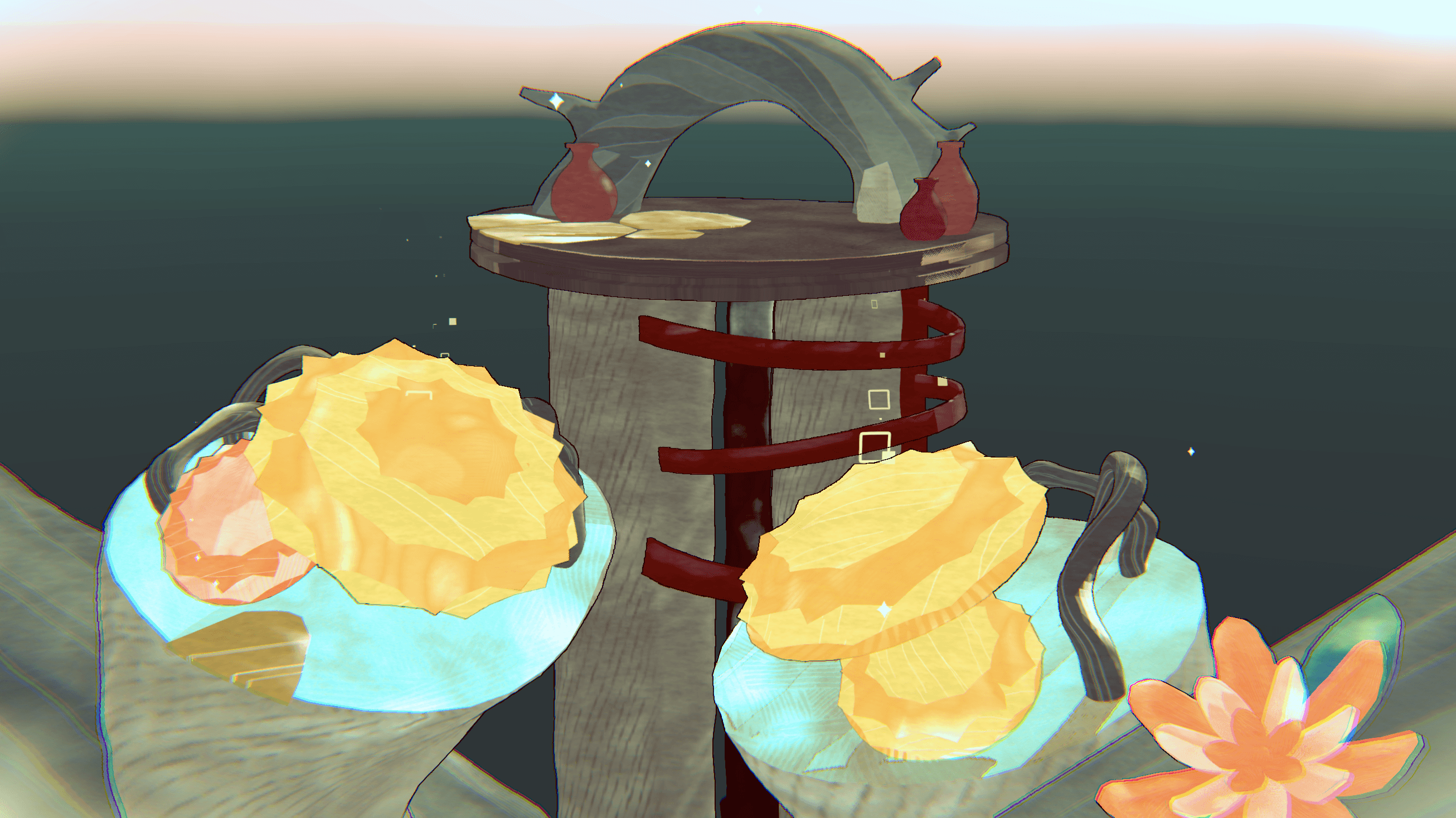
To achieve the “picture-book watercolor” style in EWENIVERSE, I developed a two-part shader system consisting of an Object Shader and a Full-screen Image Effect. Together, they create the layered, swaying, hand-painted look that supports the project’s Botanical Futurism aesthetic.


OBJECT SHADER [For Ground, Characters, and Props] - Applies a watercolor rendering style directly to 3D meshes.
Key Features:
Texture-based color blending & paper grain
Soft edges, outlines, and stylized shadows
Adjustable motion and noise for organic variation
IMAGE EFFECT SHADER [Full-Screen Pass] - Adds global post-processing to unify the painterly look.
Key Features:
Screen-wide outlines and edge softening
Subtle distortion to simulate watercolor bleeding
Vignette framing inspired by pigment fading
These effects combine to create the feeling of watercolor paint bleeding outward and softening at the edges of the screen.
It covers the entire screen and is responsible for rendering outline, distortion, and a vignette frame. These effects combine to create a stunning visual representation of watercolor paint gradually fading out at the edges of the screen.


01 Creating Watercolor-like Smudges
Built a blooming/smudge layer using noise.
Adding adjustable parameters for smudge strength, softness, and directionality
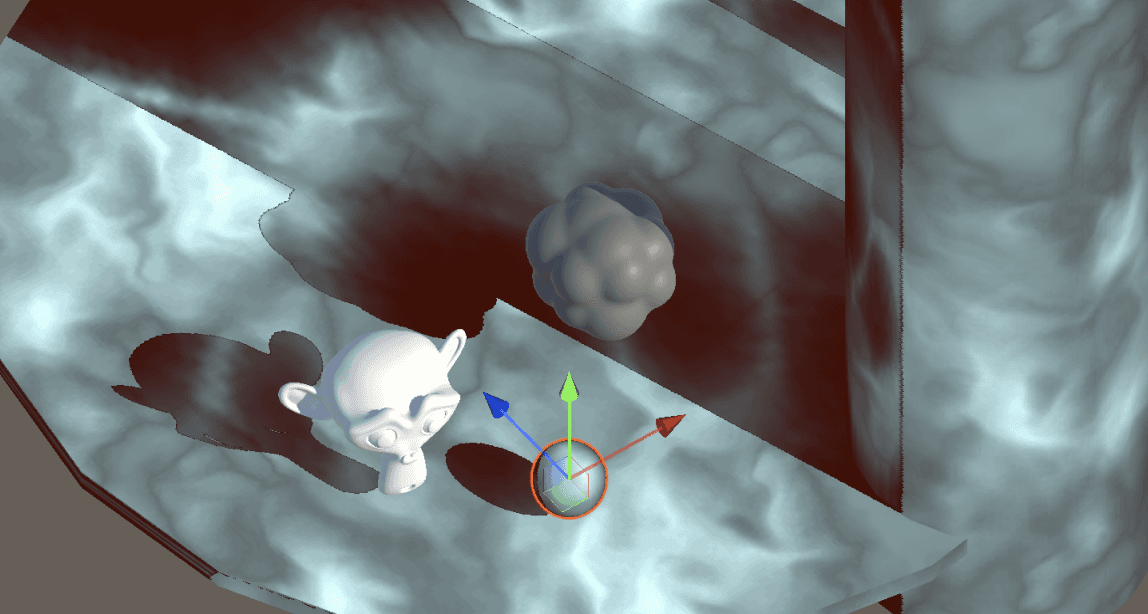
02 Designing Watercolor Shadows
Sampled Unity’s Main Light shadow map to get real-time shadow data
Tuned shadow intensity, coverage, wobbliness, and texture breakup

03 Adding Full-Screen Image Effects
Implemented a post-process outline pass based on depth + normal difference
Added a wobbly distortion effect using screen-space UV displacement

04 Color and Palette Adjustments
Tuned hue, saturation, and tonal balance to match the Ewe-niverse color palette
Added controls for dynamic tinting to maintain consistency across biomes

05 Overlaying Textures and Pattern Feature
Introduced an overlay texture layer (custom paper grain, watercolor blotches, crosshatch)
Enabled controls for scale, rotation, offset, and intensity

06 Testing and Iteration Across Objects
Applied the shader to a variety of models: ground, props, characters
Adjusted settings for material-specific variations
Checked shader behavior under multiple lighting conditions for consistency

07 CREATING ASSETS
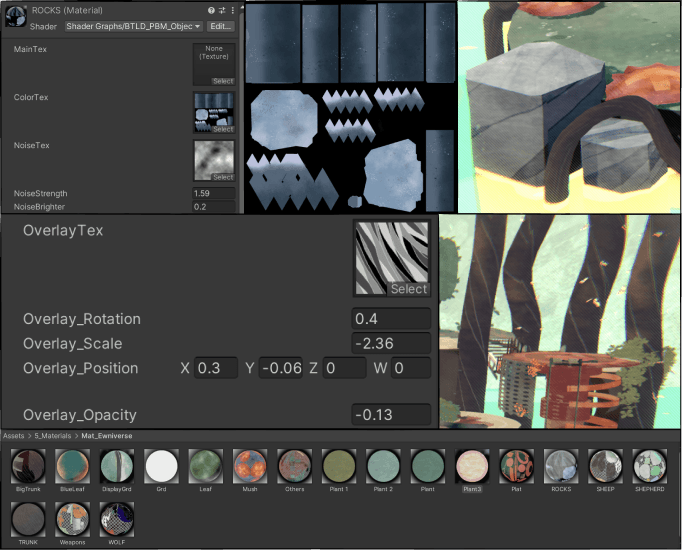
08 CREATING MATERIALS WITH THE SHADER
06 Testing and Iteration Across Objects
Applied the shader to a variety of models: ground, props, characters
Adjusted settings for material-specific variations
Checked shader behavior under multiple lighting conditions for consistency



phone.
(917) 306 5513
email.
hiulamhilaryc@gmail.com
find me @

